5 Steps to Create Professional Spatial Audio for VR Projects (Easy Guide for Indie Filmmakers)
- Scott Hannon
- Dec 4, 2025
- 6 min read

Virtual reality isn't just about what your audience sees: it's about what they feel. And nothing pulls viewers deeper into your world quite like spatial audio that makes them forget they're wearing headphones. Whether you're crafting an intimate documentary or an otherworldly adventure, spatial audio transforms your VR project from a visual experience into a fully immersive journey.
The good news? Creating professional spatial audio doesn't require a Hollywood budget or years of audio engineering school. With the right approach and tools, indie filmmakers can craft soundscapes that rival big-studio productions. Let's dive into the five essential steps that will elevate your VR audio from flat to phenomenal.
Step 1: Master the Fundamentals and Choose Your Audio Arsenal
Before you start placing sounds in 3D space, you need to understand what makes spatial audio tick. At its core, spatial audio delivers localization information through binaural processing: essentially tricking your brain into perceiving sounds coming from specific directions and distances in three-dimensional space.
Think of it this way: traditional stereo gives you left and right. Spatial audio gives you everywhere else: above, below, behind, and at every distance in between. Your ears naturally use tiny timing and volume differences to locate sounds in real life, and spatial audio recreates these subtle cues digitally.
Now comes the fun part: choosing your tools. For indie filmmakers just starting out, Audiocube offers an all-in-one solution that doesn't require purchasing separate DAWs and expensive plugins. It's designed specifically for spatial audio creation and handles the complex math behind the scenes.
If you're already comfortable with Pro Tools, the Works plugin provides an intuitive visual interface where you can literally see and drag your sounds around a virtual 3D space. For those ready to dive deeper, industry standards like FMOD and Wwise offer robust spatial audio capabilities with advanced automation features.
The key is starting with tools that match your current skill level and workflow. You can always upgrade later as your spatial audio expertise grows: but the most important thing is getting started and experimenting with spatial placement.
Step 2: Build Your Spatial Audio Foundation with Smart Recording
Your spatial audio is only as good as your source materials, so let's talk strategy. The secret weapon in professional VR audio? Ambisonic microphones. These specialized mics capture sound from all directions: including above and below: giving you a full-sphere surround recording rather than just horizontal audio.
But don't panic if ambisonic mics aren't in your budget yet. You can create compelling spatial audio with traditional recording techniques too. Use lavalier mics for intimate dialogue, shotgun mics for directional capture, and don't underestimate the power of high-quality ambient recordings.
Here's a pro tip that many indie filmmakers miss: record room tone and ambient sounds from multiple positions in your scene. These "invisible" background elements become incredibly important when you're spatializing your mix: they help sell the illusion that sounds exist in a real 3D environment.
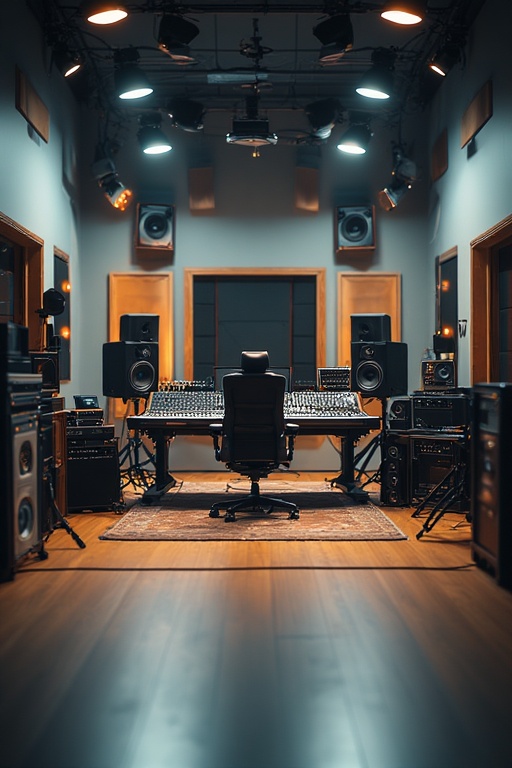
For monitoring during this phase, invest in excellent headphones: they're absolutely crucial for hearing spatial effects accurately. While you can test object-based formats like Dolby Atmos with multi-speaker setups later, binaural mixes translate beautifully through quality headphones, making them your most reliable reference during production.
Remember to record at higher sample rates when possible (48kHz or 96kHz). Spatial audio processing can be demanding, and starting with high-quality source material gives you more headroom for the spatial processing that comes next.
Step 3: Import, Organize, and Prepare Your Audio Elements
Organization might not be the most exciting part of spatial audio creation, but it's where professional workflows separate themselves from amateur chaos. Start by creating a logical file structure that groups your audio by type: dialogue, ambient, sound effects, and music.
When importing into your spatial audio software, pay attention to file formats and channel configurations. Most professional spatial tools support mono, stereo, quad, or surround tracks, but each serves different purposes in your spatial mix. Mono sources are perfect for point sources you want to place precisely in space, while stereo or surround sources work well for ambient environments.
If you're using Audiocube, create a new project and import your files through the dedicated import interface. The software will automatically organize them in ways that streamline your spatial mixing workflow. Other platforms like Pro Tools with spatial plugins offer similar organizational features: use them.
Here's where smart preparation pays dividends: label your files clearly and consistently. When you're deep in the creative flow of spatial positioning, you don't want to waste mental energy trying to remember which "ambient_forest_02.wav" file contains the bird sounds versus the wind through leaves.
Consider creating submixes for complex scenes. If you have multiple dialogue tracks, ambient layers, or sound effects that work together, grouping them early makes spatial positioning much more intuitive and efficient.
Step 4: Position, Automate, and Bring Your Soundscape to Life
Now we reach the heart of spatial audio creation: and honestly, the most fun part. This is where you become a conductor of 3D sound, guiding your audience's attention through carefully placed audio elements that respond to their head movements and visual focus.
Most professional spatial audio tools offer visual interfaces where you can drag sounds around a virtual 3D space. Think of yourself as a sound choreographer: every placement should serve your story and enhance the viewer's emotional journey through your VR experience.
Start with positioning fundamentals: azimuth (left-right placement), elevation (height), and distance from the listener. Close, intimate sounds draw viewers in emotionally, while distant sounds create environmental context and scale. Elevated sounds can create tension or grandeur, while sounds placed below the listener often feel grounding or ominous.
But here's where spatial audio gets truly powerful: automation. Move sounds dynamically through 3D space synchronized with your visual content. When a character walks from screen left to right, their footsteps should follow that movement through space. When an aircraft flies overhead, the audio should track that path convincingly.
Pro tip from our experience at EchoCraft Media: use spatial movement to guide viewer attention without being obvious about it. Subtle audio cues can direct where people look in VR more effectively than visual elements alone.
For non-diegetic elements like voiceovers or music that shouldn't feel spatially positioned, most software includes bypass options that inject audio directly to the listener without spatial processing. Use this strategically for moments when you want to control focus without spatial distraction.
Step 5: Test, Refine, and Export Your Spatial Masterpiece
The final step is where attention to detail transforms good spatial audio into something truly professional. Put on your headphones and experience your project as your audience will. Listen critically: does the spatial audio enhance the story or distract from it? Do sounds maintain spatial coherence with what viewers see?
Testing is crucial because spatial audio can behave differently across various playback systems. What sounds perfectly positioned on your studio headphones might feel too aggressive or too subtle on consumer VR headsets. Test on multiple devices if possible, especially the platforms where your audience will actually experience your content.
Pay special attention to how dialogue sits in your spatial mix. Clear, intelligible speech should almost always take priority over impressive spatial effects. If viewers can't understand what characters are saying because you've over-spatialized the dialogue, your immersive intentions backfire.
Fine-tune levels carefully. Spatial audio processing can affect perceived loudness, so what sounded perfectly balanced in stereo might need adjustment in spatial format. Dynamic range becomes even more important in VR: viewers need to hear subtle details without being overwhelmed by sudden loud elements.
When you're satisfied with your mix, export to formats compatible with your target VR platform. Most spatial audio software can export to standard .WAV formats with spatial information preserved, but double-check technical specifications for your distribution platform.
Your Next Step Into Immersive Audio
Creating professional spatial audio for VR projects isn't just about technical proficiency: it's about understanding how sound shapes emotion and guides experience. Every placement decision, every automation curve, every level adjustment contributes to whether your audience feels transported into your story or remains aware they're wearing a headset.
The tools and techniques we've covered give you a solid foundation, but the real magic happens when you start experimenting and developing your own spatial audio style. Start simple, focus on serving your story, and gradually push creative boundaries as your confidence grows.
Remember, spatial audio isn't just a technical requirement for VR: it's your secret weapon for creating emotional connection and memorable experiences. When viewers finish your project and find themselves looking around for sounds that aren't there anymore, you'll know you've mastered the art of spatial storytelling.
Ready to transform your VR projects with professional spatial audio? The tools are accessible, the techniques are learnable, and your audience is waiting for experiences that truly transport them. Time to make some noise: spatially speaking.


Comments